Paprika for HomeView Public Beta
If you just got an Apple HomeView, you can now try Paprika for HomeView, a new way to view your recipes, grocery lists, pantry, and meal plan right on your kitchen counter.
Apple hasn’t said whether they will allow recipe apps like Paprika to run on HomeView via CarPlay, so instead we have created a mini web app that allows you to access your Paprika account directly through HomeView’s Safari browser.
Getting Started
- Open Safari - On your HomeView, open Safari and go to paprikaapp.com/homeview.
- Sign in - Sign in with your Paprika account’s email and password.
- Pin the site - After signing in we recommend pinning the site in Safari so you can easily get back to it.
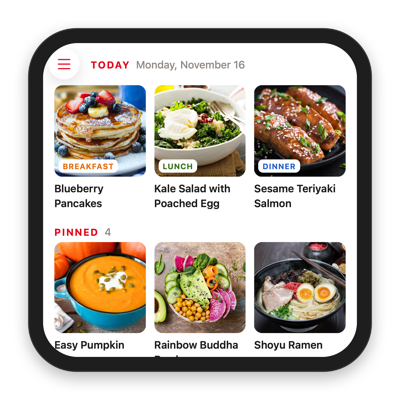
What You Can Do
- Home - See today’s meals and your currently pinned recipes.
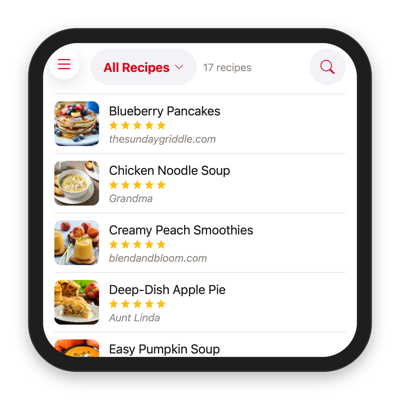
- Recipes - Browse your recipes by cookbook and category, or search by name.
- Groceries - Check your grocery lists, sorted by aisle.
- Pantry - See what’s in each of your pantry locations.
- Meals - View your meal plan a day at a time.
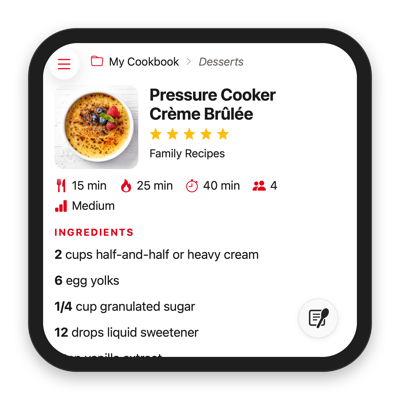
Start Cooking
Open any recipe and tap Safari’s Start Cooking button in the corner of the screen to switch to HomeView’s cooking mode, which walks you through the recipe one step at a time.
Calendar Feeds
If you’ve subscribed to your meal plan in the Calendar app with Paprika 4’s new calendar feed premium feature, your scheduled meals will also appear directly in the Calendar app on the HomeView. Tap on the recipe link in the calendar entry to open that recipe directly in Paprika for HomeView.
Beta Information
Paprika for HomeView requires a Paprika account and is available to all account holders while it is in beta. After the beta ends, a Paprika 4 premium subscription will be required for continued access.
The initial beta version is also read only and designed as a viewer for the data in your app. To add recipes or change your meal plan, grocery lists or pantry, use Paprika on your phone, tablet or computer, and your changes will show up on HomeView once they’ve synced. If there is sufficient interest, we will consider expanding the web interface further to support editing in the future.
We’d love to hear your thoughts, so please try it out and send us your feedback!